
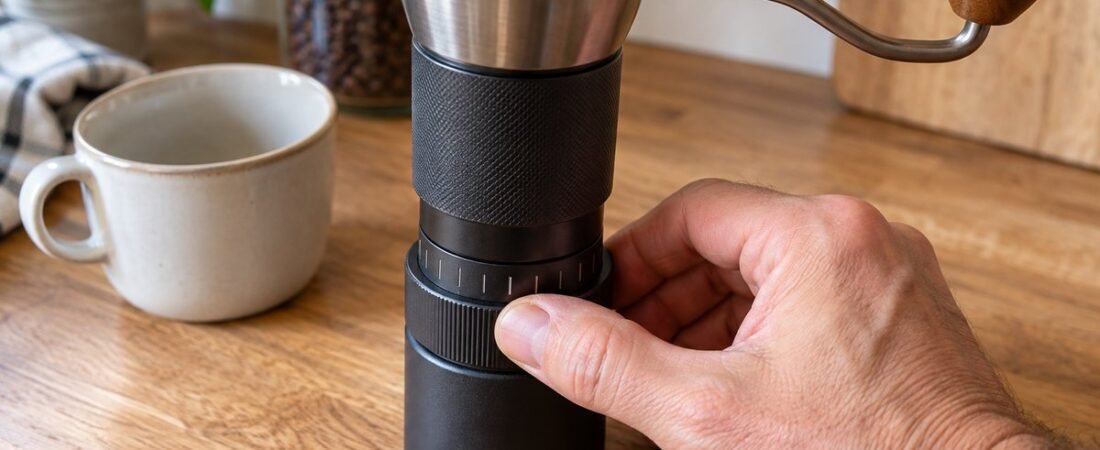
KINGrinder K6 espresso settings start in a narrow range. Most reviewers say espresso works best in the low 30s to about 38 clicks from zero on the KINGrinder K6. Intelligentsia, the company that sells the K6, suggests about 38 clicks. A consistency test from 9 Bar Benchmark, reported by Barista Life, used 30 clicks and found the shots were very even. The Coffee Locator tested espresso at position 5 to 6 on the dial and got shots that ran 27 to 32 seconds. That is not the same as a click count, but it points to the same range.
Think of this range as a place to start, not a rule to follow exactly. Each click moves the burrs about 16 microns. That is a small move, but it is still a full step, not a smooth slide. Your best setting depends on your beans, your basket, your dose, and how long it has been since you cleaned the grinder. Start around 30 to 40 clicks, then taste your shot and adjust from there.
How the K6's dial works
The K6 has a dial on the outside of the grinder. You turn it to change the grind size. Turning it clockwise makes the grind finer. Each click moves the burrs about 16 microns, and one full turn of the dial equals 60 clicks. Intelligentsia, The Coffee Locator, and Barista Life (citing 9 Bar Benchmark) all agree on these numbers.
The full range covers about four turns of the dial, or about 240 clicks total. That matches the number printed on several store listings. But not every source agrees. One UK listing says 160 settings, and another says 200. The 16 micron and 60 click numbers have the most support, so this article uses those to count from zero. If you see a different total somewhere else, it is probably just a different way of counting, not a different grinder.
To find your starting point, turn the dial all the way clockwise until it stops. That is the finest setting, or zero. Then count clicks backward (counter-clockwise) to go coarser. Complete Home Barista makes a good point here: the number printed on the dial does not always match the grinder's true zero. Write down your own click count instead of trusting the printed number. This matters even more after you clean the grinder. The Coffee Locator found that taking the grinder apart can change the grind size. The fix is simple: put the burr back in and reset zero. Do this every time after a deep clean.
KINGrinder K6 Espresso Settings by Brew Method
These are starting clicks other people have reported, counted from zero (the finest setting). They are not exact rules. Your numbers may be different.
| Brew method | Reported starting clicks | Source |
|---|---|---|
| Espresso | About 30 to 40 | Intelligentsia (about 38), Barista Life citing 9 Bar Benchmark (30) |
| Pour over | About 80 | Intelligentsia |
Look at the gap between espresso and pour over. Going from 30 clicks to 80 clicks is a jump of 50 clicks, almost a full turn of the dial. That shows how fine espresso grinding really is. But fixing a shot that runs too fast or too slow usually takes just a few clicks, not a big jump like that.
Dialing in from your starting point
Once you are near 30 to 40 clicks, the rest is tasting and adjusting. This is the same process covered in our Dialing In & Technique guide and our Troubleshooting guide.
If your shot runs too fast and tastes sour or thin, grind finer. On the K6, that means turning the dial clockwise, so fewer clicks from zero. If your shot runs too slow and tastes bitter, grind coarser, which means more clicks from zero. Each click is small, about 16 microns, but it can still change your shot time. Brew Coffee Home found that one click at fine settings changed extraction time by about 4 seconds. So change one click at a time, then pull a full shot before you judge the result.
Expect to make more than one change. The Coffee Locator needed three to four tries over two days before finding a setting that worked well. That is normal for any new grinder and any new bag of beans. It does not mean something is wrong with your K6. Once you find a setting that works, write it down, the same way you would write down a dose or a shot time. The numbered dial makes it easy to go back to that exact setting later.
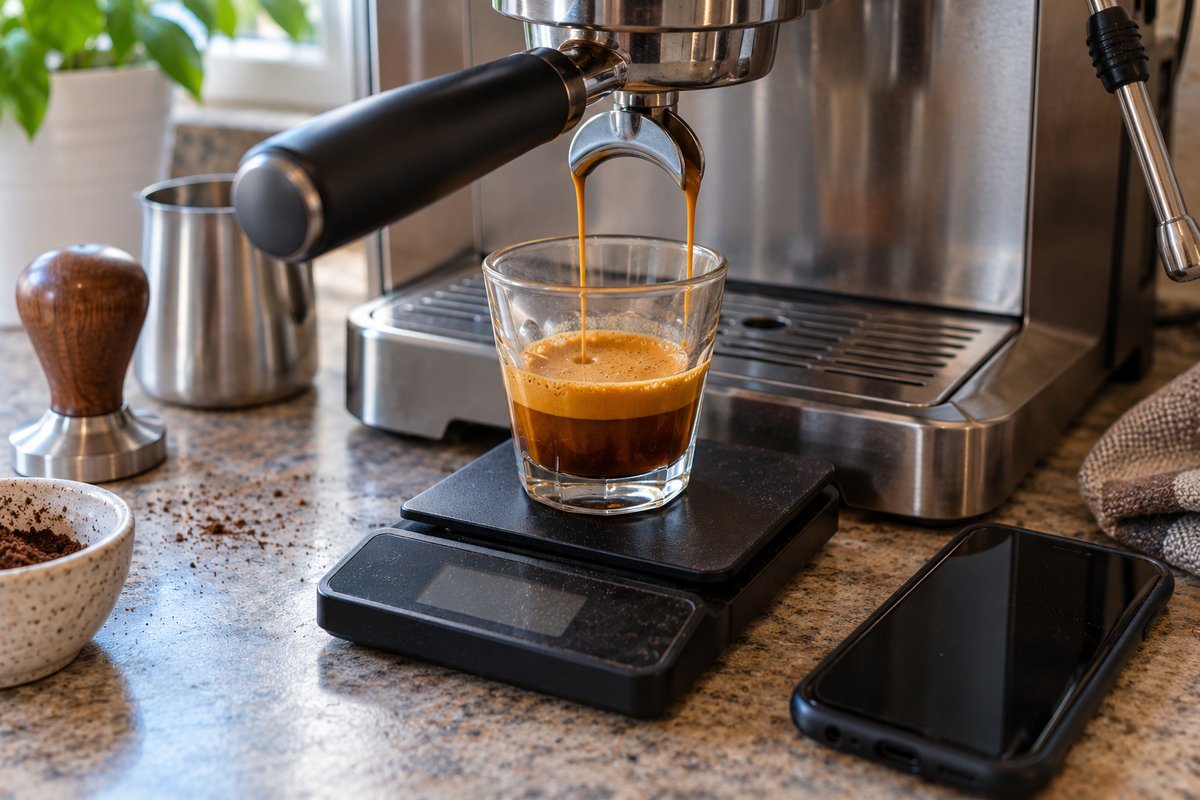
The burrs, and what they mean for espresso
The K6 uses a 48mm burr set with seven flat cutting edges, a shape called heptagonal. Three sources agree on this: Sigma Coffee says "48mm heptagonal burr set," made of stainless steel. Brew Coffee Home also says the burrs are 48mm and heptagonal. Barista Life, citing 9 Bar Benchmark, says the same thing. The Coffee Locator calls the same burr "cone shaped." That is not really a disagreement. In grinder terms, cone-shaped and flat are the two main burr shapes, and a cone-shaped burr can still have seven flat cutting edges around it. Real photos of the K6's burr set back this up: it is a cone with seven spiral teeth. The one real difference between sources is the coating.
One review also notes a titanium coating on the burr. Sigma Coffee's spec sheet just says stainless steel, with no coating listed. That is the part this article is not sure about, not the shape.
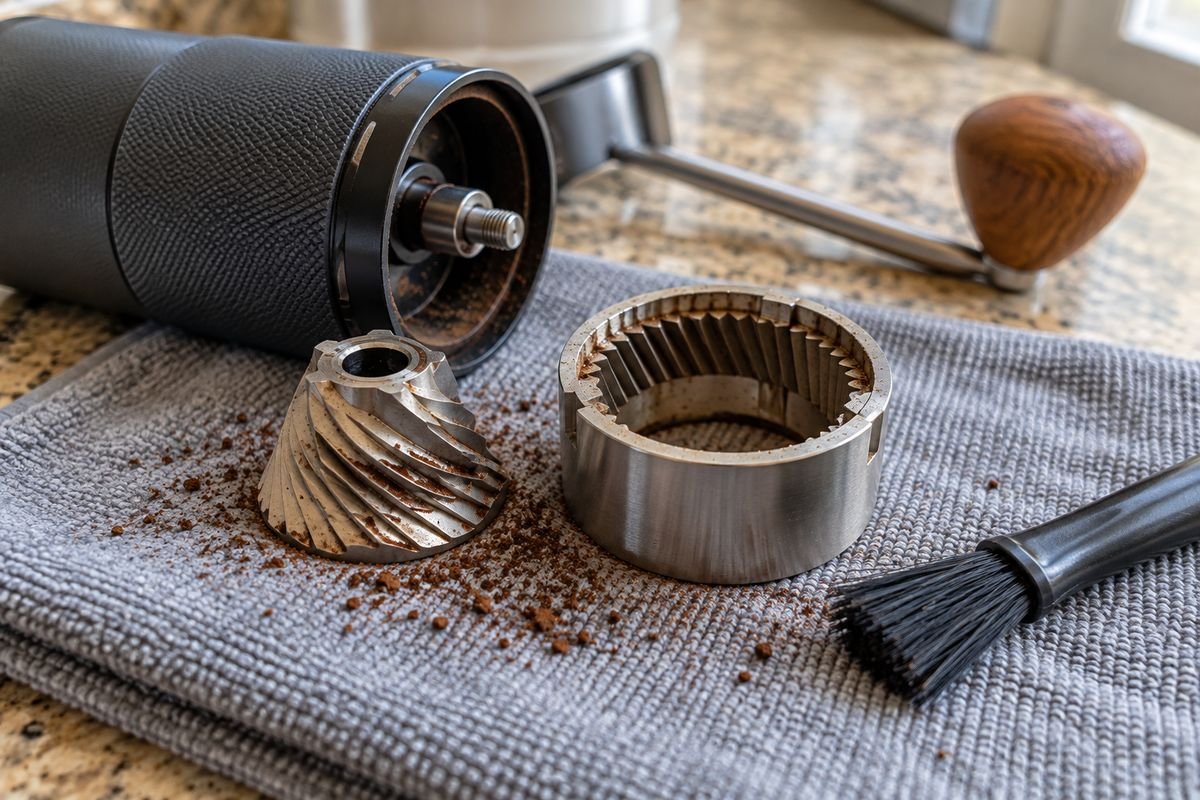
A 48mm burr is bigger than the 38mm burrs found on many other hand grinders at this price. In one detailed review, the bigger burrs clearly beat the smaller 38mm sets you see at this price. A bigger burr usually grinds more evenly. That matters for espresso, because an uneven grind can cause weak or uneven shots, a problem we cover in our Troubleshooting guide.
The downside is the click size. Each click moves the burrs about 16 microns, and no source we checked found a way to adjust the K6 more smoothly than that. If you grind espresso every day and find that one click is too big a jump, that is a real limit to keep in mind, even with the grinder's good burrs and fair price.
Things to know before you rely on it for espresso
A few problems come up again and again in reviews. These are separate from normal day to day grinding.
Cleaning can throw off your zero point. Grind size can shift after you take the grinder apart to clean it. The fix is to put the burr back in place and reset zero. After any deep clean, re-zero by counting clicks from the mechanical stop, not by trusting the printed number.
The dial can get bumped by accident. Barista Life, citing 9 Bar Benchmark, says this is the one real complaint from their testing. The dial sits out in the open, so it is easy to bump it without noticing and change your setting.
Putting it back together takes practice. The same review says the trickiest part is fitting the U-clip back in after cleaning.
The click size cannot get any smaller. Barista Life compares the K6 to the 1Zpresso K-Ultra, a pricier grinder. That grinder's click is actually bigger, 20 microns instead of 16. So the K-Ultra's main advantage is a ring that is easier to read, not a finer grind. By Barista Life's numbers, the K-Ultra costs about $150 more.
Some rust reports exist, but no one has confirmed them. Brew Coffee Home says some users have mentioned the bearings might rust more easily. They did not see this themselves. We have not confirmed it either. So treat it as something to watch for, not a proven fact.
What reviewers and owners say
A note on where this comes from: this section is based on published reviews, not a store's star rating. We could not find a reliable Amazon rating or review count for the K6 as of October 2026, so we are not guessing at one here. If you want a rating, check the seller's page directly, since it will be more up to date than anything printed here.
What people like:
- Big burrs for the price. The Coffee Locator and Brew Coffee Home both point out the 48mm burrs as unusually large for a grinder in this price range, discussed further in our Best Budget Espresso Grinder guide.
- Speed. Brew Coffee Home timed about 40 seconds to grind 18 grams for espresso, and about 30 seconds for 15 grams at pour over settings.
- A clear, numbered dial. Brew Coffee Home says the numbers are easy to read, and the dial turns smoothly.
What people do not like:
- The click based dial, which limits how finely you can adjust the grind. Each step is 16 microns, not a smooth turn.
- A plain look and feel. The same review says plainly that the build quality shows where the company saved money. The body is stainless steel, not the smoother, machined metal found on pricier grinders like the Timemore C3.
- Needing to reset zero after cleaning. Because grind size can shift after you take the grinder apart, you have to re-seat the burr and reset zero each time. A sealed grinder would not need this extra step.
Put together, these reviews describe a grinder that works well for espresso at its price. It has a dial you can return to the same setting every time. But it has real limits on fine adjustment, and at least one cleaning quirk worth planning for.
Frequently asked questions
How many clicks for espresso on the KINGrinder K6?
KINGrinder K6 espresso settings usually start between 30 and 40 clicks from the grinder's finest setting. Use that as a starting point, then adjust by taste and shot time, since your beans, basket, and dose all affect the right number for you.
How many total settings does the K6 have?
The best supported answer is 60 clicks per turn, across about 4 turns, for roughly 240 total settings. Each click moves the burrs about 16 microns. Some store listings give a different total. That is likely just a different way of counting, not a different grinder.
Is the KINGrinder K6 good for espresso?
Yes, reviewers report good espresso shots from the K6. Its 48mm burrs, described as heptagonal, are bigger than many hand grinders at this price. Its main downside for espresso is the fixed 16 micron click size, so you adjust in small steps rather than smoothly.
Do I need to recalibrate the K6 after cleaning it?
At least one hands on review found that taking the grinder apart can change the grind size. So the printed zero point may not match the true zero afterward. After any deep clean, turn the dial to its mechanical stop and count your own clicks from there, rather than trusting the printed number.
For more on choosing and setting up an espresso grinder, see our Espresso Grinders guide.
Sources
Every page below was opened directly during research for this article in October 2026.
- KINGrinder K6 Grinder, Intelligentsia. Clicks per turn, microns per click, suggested espresso and pour over starting points.
- Kingrinder K6 Review, The Coffee Locator. Burr description, espresso test position, build notes, recalibration issue.
- Kingrinder K6 Review: Affordable Quality Hand Grinder, Brew Coffee Home. Burr notes, espresso test results, extraction time per click, rust report.
- KINGrinder K6 vs 1Zpresso K Ultra, Barista Life, citing 9 Bar Benchmark. Click total, espresso test setting and consistency figure.
- Kingrinder K6 Grind Settings for Espresso, Complete Home Barista. Grind category chart, zeroing guidance, and the caution against treating one click count as universal.
- KINGrinder K6, Sigma Coffee. Burr size, burr material, weight, capacity, listed click/setting count.
Three sources (Sigma Coffee, Brew Coffee Home, and Barista Life citing 9 Bar Benchmark) agree the burrs are heptagonal and 48mm. The Coffee Locator calls the same burrs cone shaped, which is not actually a different claim, since cone-shaped and flat are the two main burr-shape categories, separate from how many flat edges the cone has. The one real difference is a titanium coating The Coffee Locator mentions that Sigma Coffee's spec sheet does not. Two sources, Intelligentsia and Barista Life citing 9 Bar Benchmark, support the 240 click total, against which Sigma Coffee's listed 160 is noted as a minority figure above.